Workout Examples: What Members and Trainers See
See how workout settings in the FunXtion CMS affect what members see on screen. This article includes examples of different workout views and the main settings trainers can manage.
This article gives a high-level overview. For step-by-step setup, use How to create a workout or How to create a Multiscreen Workout.
1. What members see
The member view can show the workout name, exercise order, exercise images or videos, current and next exercise, rounds, work and rest intervals, work/rest ratio, reps, seconds, meters or other targets, timer, progress bar, coach tips, and workout metadata such as zone, concept, or workout type.
RFT view

Shows a full workout overview with exercise order, targets, rounds, and timer.
Multi-zone view
Shows multiple zones at once, including the active exercise, work interval, progress, and next exercise per zone.
AMRAP view
Shows an AMRAP workout with exercise order, timer, and progress.
Boutique / single-zone view
Shows one active exercise, next exercise, zone, rounds, work interval, exercise count, and coach tip.
Circuit workout view
Shows a circuit setup with rounds, work interval, work/rest ratio, exercise order, and coach tips.
Timer view
Shows a countdown timer with visual progress.
Video examples
Regular workout
See how a regular workout is selected, started and displayed during training.Multiscreen workout
See how a Multiscreen Workout is started and shown across the different training zones.
Timer tools
See how trainers can configure and use the available timers.
HYROX Performance Hub
See how trainers can open a HYROX workout and view the complete session.
2. What trainers manage in the Funxtion CMS
Workout setup
Trainers define the workout name, category, and type.
Timing and intervals
Trainers can set work intervals, rest intervals, work/rest ratio, reps, seconds, meters, or other targets.
These values appear in the member view as timers, labels, and exercise targets.
These values appear in the member view as timers, labels, and exercise targets.
Rounds and exercises
Trainers add exercises to a round and define the workout structure members follow. The selected exercises, order, rounds, and timing are reflected in the workout view.
Duplicating rounds
Duplicate a round when you want to reuse the same round structure within a workout.
Duplicating workout
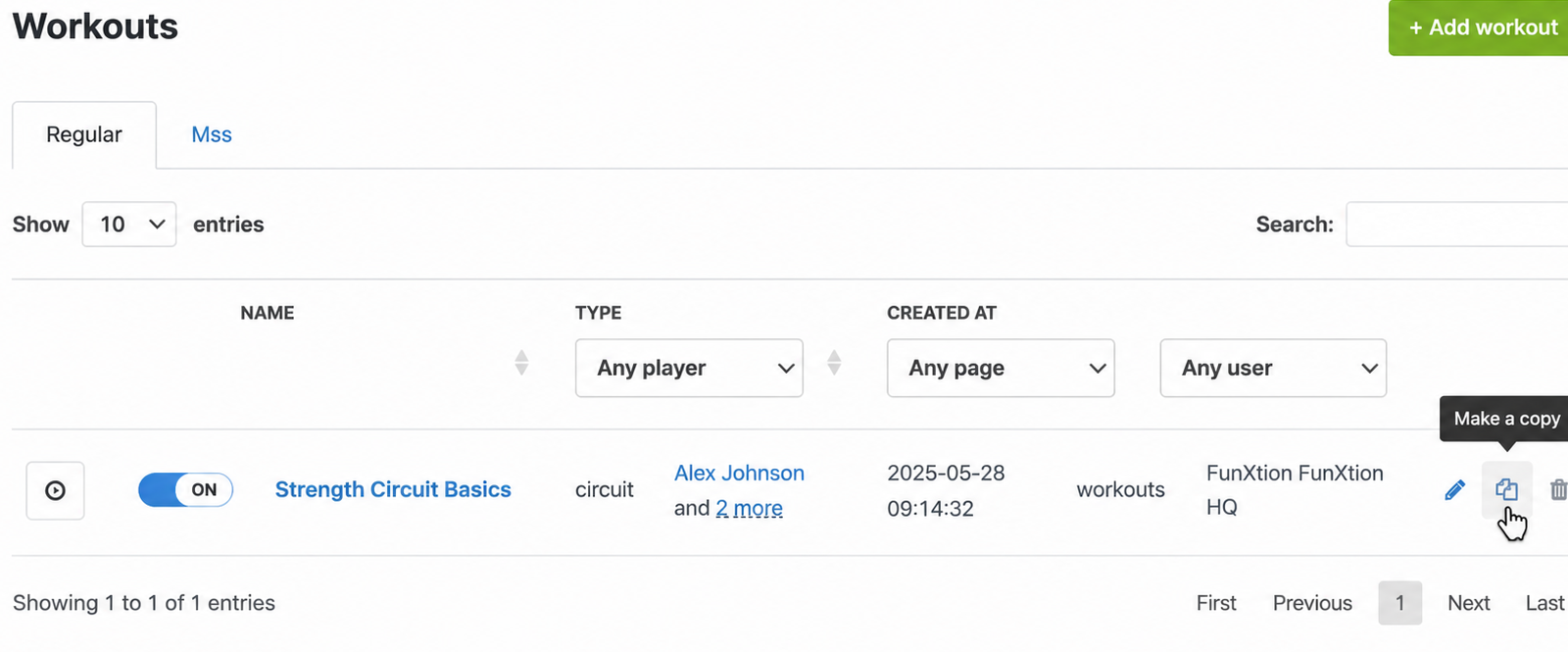
Duplicate a full workout when you want to reuse an existing workout as a starting point.
After duplicating, review the workout name, exercises, rounds, descriptions and assignment.
After duplicating, review the workout name, exercises, rounds, descriptions and assignment.